
Most meat thermometers flash because of low battery, probe issues, or reaching a set temperature.
I’ve tested many thermometers in home kitchens and restaurant settings. This guide explains why is my meat thermometer flashing, what each flash pattern likely means, and easy steps to fix it. Expect clear troubleshooting, simple tests, and practical tips you can use right away.

How meat thermometers work
Meat thermometers measure temperature with a probe that senses heat. Many models have microcontrollers that show readings and use lights or screen flashes to signal status. Flashing can be a normal signal or an error. Knowing the basics helps you decode why is my meat thermometer flashing and respond correctly.
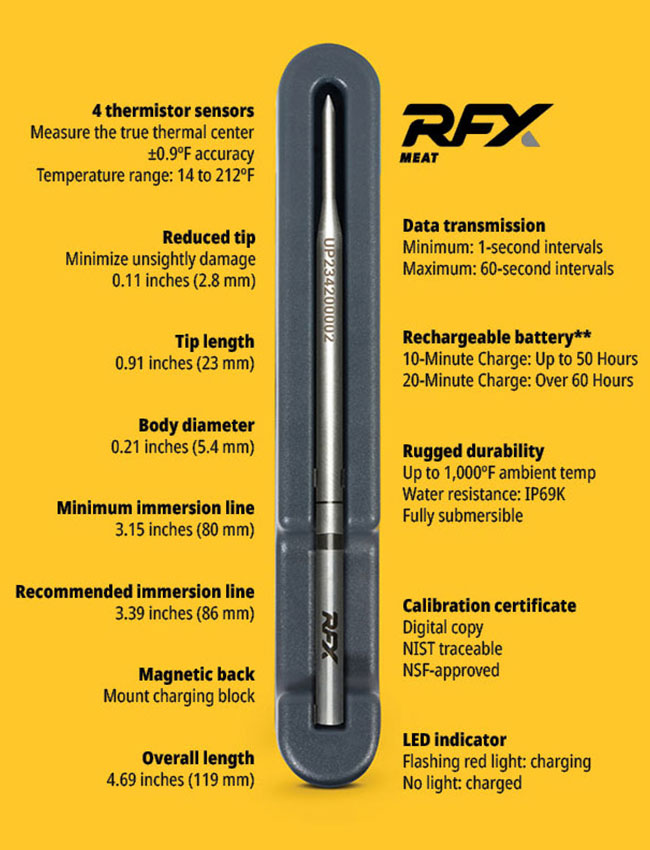
Common reasons your meat thermometer is flashing
There are several common causes. Each one is easy to check. Below are the most frequent reasons for flashing and what they usually mean.
- Low battery. The thermometer often flashes when the battery drops below a safe level. Replace batteries if you see rapid or repeating flashes.
- Probe disconnected or loose. If the probe isn’t fully seated, the unit may flash to warn of no reading. Reseat the probe and test again.
- Reached target temperature. Many models flash when the set temperature is reached. Check your set point and confirm the meat’s doneness.
- Faulty probe or damaged wire. A broken sensor or frayed cable can cause intermittent flashing. Inspect the probe for bends, breaks, or exposed wires.
- Moisture or condensation. Water in the probe jack or on electronics can cause shorting and flashing. Dry the ports and keep the unit away from steam.
- Over-temperature alert. If the thermometer senses a temperature above its safe limit, it may flash as a warning. Let the unit cool before testing again.
- Calibration or sensor error. If the thermometer’s sensor drifts, it may show erratic flashing. Calibration or replacement can fix this.
- Bluetooth or wireless pairing. Smart thermometers sometimes flash while attempting to pair with an app. Check your phone’s Bluetooth and the app status.
- Firmware or software glitch. Occasionally the internal software can glitch and cause a flashing loop. A reset or firmware update often helps.
If you ask why is my meat thermometer flashing after cooking, check these items in that order. The most common fixes are battery change, probe check, and a quick reset.

Step-by-step troubleshooting to stop flashing
Follow these steps from simple to more involved. Each is designed to solve the usual problems fast.
- Replace the battery.
- Use fresh batteries that match the manual’s specifications.
- Re-seat or swap the probe.
- Unplug and plug the probe back in. If you have a spare, test with that probe.
- Check for loose or damaged wires.
- Look for frayed wires near the handle and connector.
- Dry the unit and probe jack.
- Let the thermometer air dry or use a gentle blow of warm air.
- Reset the thermometer.
- Power off, remove batteries, wait 30 seconds, then restart.
- Check your set temperature.
- Make sure the alarm set point isn’t too low or accidentally enabled.
- Test in ice bath or boiling water (see calibration).
- This confirms whether the sensor reads accurately.
- Update firmware or app.
- For smart models, update the app and firmware, then re-pair.
- Contact support or replace if needed.
- If flashing persists after these steps, the unit may be defective.
I once had a professional probe fail mid-service. A quick probe swap solved it and saved the roast. That taught me to always keep a backup probe and spare batteries.

How to test and calibrate your thermometer
Testing proves whether flashing means an error or a true temperature. Two easy methods work for most thermometers.
- Ice bath test for 32°F (0°C). Fill a glass with crushed ice, add cold water, insert the probe so it doesn’t touch glass, and wait 30 seconds. The reading should be about 32°F.
- Boiling water test for 212°F (100°C) at sea level. Insert the probe into boiling water without touching the pot sides. Expect about 212°F. Remember boiling point varies with altitude.
If readings are off by more than a few degrees, recalibrate if your model allows it. If you can’t calibrate, consider replacing the unit. Regular testing helps prevent surprises and avoids repeated flashing that means sensor error.

Wireless and smart thermometer issues
Smart thermometers add convenience and new failure modes. They can flash for pairing, low signal, or firmware errors.
- Pairing mode. A steady or slow flash often means the device is ready to pair. Open the app and follow pairing steps.
- Low Bluetooth range. Frequent flashing or disconnects can mean you’re too far from the receiver.
- App notification settings. Some apps visually flash the device when the phone alerts are off or permissions are missing.
- Firmware errors. If the thermometer shows strange flashing after an update, reinstall the app and check for additional updates.
If you’re asking why is my meat thermometer flashing while the app shows normal readings, test the probe directly on the unit. That isolates a hardware fault from a software display issue.
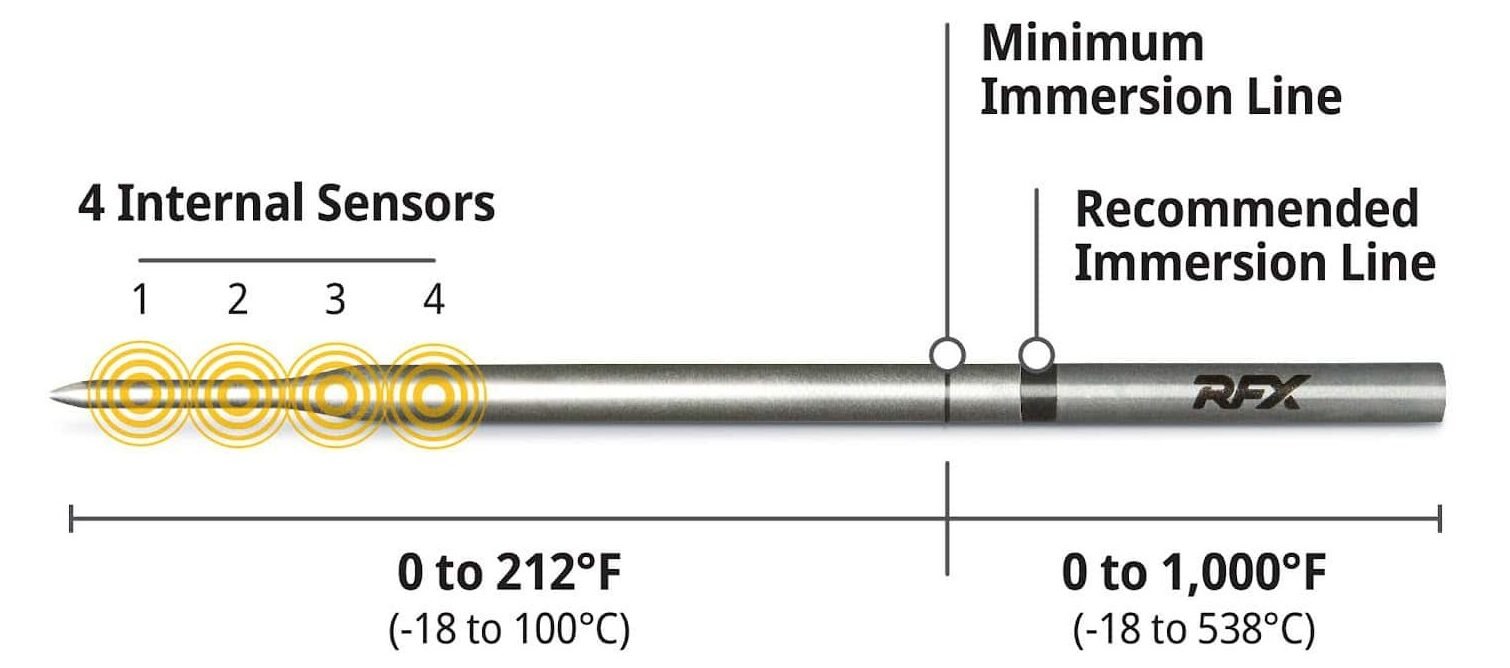
Preventive care and maintenance
Small habits reduce flashing and extend the life of your thermometer. These tips keep devices reliable.
- Keep spare batteries on hand. Fresh power avoids false error flashes.
- Store probes protected. Coil cables loosely and avoid crushing the probe.
- Clean after each use. Wipe the probe and dry the jack to prevent corrosion.
- Avoid high heat beyond device specs. Don’t leave a non-oven-safe probe in direct contact with flame.
- Run periodic tests. Ice and boiling checks keep calibration accurate.
I learned the hard way to never throw an electronic thermometer into a steaming oven unless it’s rated for that heat. That mistake caused repeated flashing and a broken sensor.
When to replace your thermometer
Flashing is fixable most of the time. But replacement is sometimes the best path.
- Frequent unexplained flashing despite troubleshooting means a failing unit.
- Corroded connectors or exposed wires are safety risks and need replacement.
- If calibration can’t be adjusted, readings may be unreliable.
- Older units with fading displays and poor battery life are worth replacing for accuracy.
Consider the cost of food safety. A cheap new thermometer is better than guessing meat temperatures and risking undercooked food.

People also ask
Why is my meat thermometer flashing intermittently?
Intermittent flashing often points to a loose probe connection, low battery, or a damaged cable. Re-seat the probe and replace the battery to narrow it down.
Does a flashing light mean the meat is done?
Not always. Some thermometers flash when the target temperature is reached, but others flash for errors. Check the display or app to confirm the reason.
Can moisture make a meat thermometer flash?
Yes. Water or steam can short the electronics or corrode contacts and cause flashing. Dry the device and port thoroughly before reuse.
Frequently Asked Questions about Why is my meat thermometer flashing
What does a rapid flashing light mean on a meat thermometer?
Rapid flashing usually signals a low battery or a critical error. Replace batteries first; if it continues, check the probe and wiring.
Why does my wireless thermometer keep flashing even when connected?
A flashing wireless thermometer can indicate weak Bluetooth signal, app issues, or firmware problems. Move closer to the receiver and update the app or firmware.
Can calibration issues cause flashing?
Yes. If the sensor reports impossible values, the unit may flash to indicate a sensor error. Calibrate the thermometer or run ice/boiling tests.
Is it safe to keep using a thermometer that flashes?
If flashing indicates target reached, it’s safe. If flashing signals an error, unreliable readings can be unsafe. Troubleshoot before relying on its readings.
How do I stop my thermometer from flashing during cooking?
Start by replacing the battery and checking the probe. Avoid steam exposure and ensure the probe is correctly placed and not touching bone or metal.
Conclusion
Flashing is a clear signal that your thermometer needs attention. Most causes are easy fixes: change the battery, check the probe, dry the unit, or update the app. If troubleshooting doesn’t help, replace a damaged probe or the whole unit to protect food safety and accuracy. Try the quick tests here, keep spare batteries and a backup probe, and comment below about your experience or questions. Subscribe or check more guides to get reliable kitchen tools and avoid surprises while cooking.